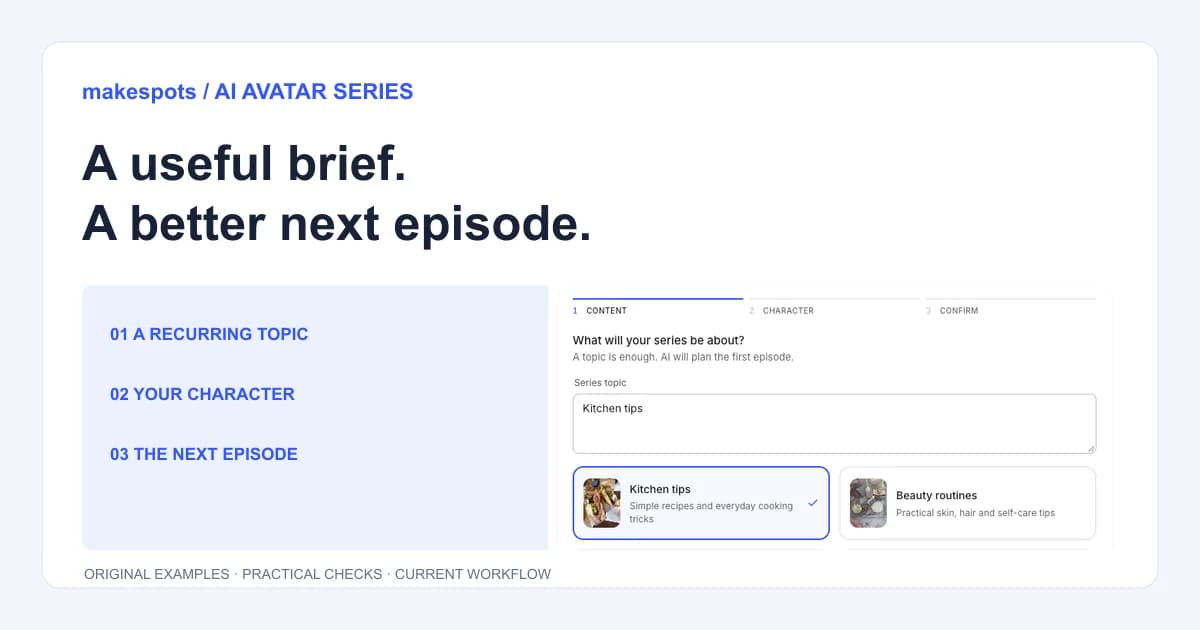
Write lasting rules in the series brief, appearance and delivery in the character settings, and today's subject in the episode direction. Put verbatim dialogue in the script area. Review one complete episode, fix the specific failure and test the brief on a genuinely different second topic.
1. Give each instruction a clear home
The series brief, character description and episode script solve different problems. The brief describes the show you want to make repeatedly. The character description describes the returning presenter. The script contains the words for one finished episode. Mixing them creates unnecessary repetition and makes later corrections harder.
AutoShorts' public custom-prompt guide makes a similar distinction between recurring instructions and an exact script. In an avatar workflow, you also need to decide what belongs to the presenter and what belongs only to today's performance. You do not need to solve every optional setting before the first draft; you need enough direction to review the right kind of result.
| Instruction | Where it belongs | Example |
|---|---|---|
| What the series repeatedly does | Series topic or brief | Explain one small desk-organizing idea per episode |
| How the host looks and speaks | Character settings | Short dark hair, plain shirt, calm conversational delivery |
| Today's subject or angle | Episode direction | Keep a charging cable within reach |
| Exact spoken words | Script | Every time I unplug this cable, it disappears behind the desk |
| One shot's visible action | Optional segment details | Point toward the loose cable, then let the hand rest |
2. Write a brief with a subject, audience and repeatable job
A reusable brief needs a subject broad enough to produce different episodes and a job narrow enough to keep them related. 'Teach everyday English' is broad. 'Show one natural phrase for a specific everyday situation, then explain when to use it' gives each script a more usable shape.
Name the audience when it changes the explanation. A complete beginner needs a smaller vocabulary than someone preparing for a workplace conversation. Add a tone and a boundary, then stop. Instructions such as 'be informative, exciting, professional, funny, emotional and dramatic' leave the model to choose which voice you meant.
Create short English-learning episodes for adult beginners. In each episode, choose one ordinary situation and teach one useful phrase for it. Say the phrase naturally, explain its meaning in simple English and give one short example. Use a friendly conversational tone. Keep each episode understandable on its own. Do not invent language rules or repeat an earlier situation with only a different title. Avoid long vocabulary lists and jokes that require advanced English.
3. Describe a presenter you can recognize and direct
Write the character as someone who has a clear way of communicating. Choose a few visible identifiers and a useful speaking style. An invented language host might have a plain wardrobe, a relaxed posture and a patient delivery. They do not need to smile, nod or gesture after every sentence.
Keep the recurring room simple, especially while establishing the first episode. A plain background and stable light make it easier to notice an unintended change. Describe the character you want without claiming they are a real teacher, customer or public figure. A fictional host can demonstrate original teaching copy without pretending to have credentials or lived experience.
A fictional adult language-practice host with short dark hair and a plain blue overshirt, seated at a small table in a bright everyday room. Their face and mouth are clearly visible. They speak warm, clear English at a comfortable pace, leaving a natural pause around the example phrase. Keep the appearance and outfit consistent. Allow relaxed stillness. Avoid a sales-announcer voice, exaggerated nodding or restarting the introduction in every segment.
4. Add one specific situation for the episode
The episode direction tells the series what to cover now. It can be much shorter than the series brief because the audience and recurring format are already defined. For the language series, use a situation such as asking someone to repeat a sentence rather than another broad instruction to teach English.
Give the episode one useful payoff. A viewer should know when they can use the phrase after watching. If exact wording matters, put the finished dialogue in the script area. Keep any visual action separate so the presenter is not asked to say the stage directions aloud.
Episode direction: Teach a polite way to ask someone to repeat something in a casual conversation. Spoken script: 'You don't have to pretend you understood every word. You can say: Could you say that again? It is a simple way to ask someone to repeat what they said. For example: Sorry, could you say that again? Keep your tone friendly, and give them time to answer. Try saying it once now: Could you say that again?'
5. Review connected speech before individual shots
Read the whole script aloud before approving it. A line can look concise on the page and still sound awkward when spoken. Remove repeated introductions, unnecessary definitions and several different calls to action. The closing sentence should fit the idea, not appear because every episode was told to end with a sales pitch.
Check that the proposed segments preserve one connected thought. A new segment is not a new video opening. Use the optional details to inspect actions, captions and timing when needed. If a sentence does not fit comfortably, shorten it or change the episode duration instead of instructing the host to speak unnaturally fast.
6. Rewrite the instruction that caused the weak result
Describe the observed failure before adding more prompt text. If the script teaches four phrases, change the subject rule to one phrase per episode. If the presenter repeats the greeting in every shot, ask for one continuous piece of speech. If a fact is wrong, correct and verify it before approving the script.
Prompt changes are editorial decisions, not a guarantee of a new result. Keep a useful earlier version and compare one change at a time. A stronger explanation usually comes from a clearer task: what the viewer should understand, what example demonstrates it and which details can be left out.
- Too broad: replace 'give useful advice' with one audience, situation and takeaway.
- Too repetitive: change the episode subject and keep only the lasting series rules.
- Too formal: ask for spoken sentences and remove brochure-style adjectives.
- Too busy: give each shot one visible action or let the presenter remain still.
- Unsupported claim: remove it or provide verified material before generation.
7. Test the same brief on a different episode
A reusable prompt has to work beyond its first example. After the repeat-request episode, try a different situation: asking where to pay, checking a person's name or politely ending a conversation. Keep the host and teaching format, but choose a new phrase with its own example.
Keep a simple covered-topic list. The product can use recent episode context while suggesting ideas, but you remain the editor of the series. Check that a new title represents new content. If each script is still repeating the same lesson, revise the recurring brief or supply a more specific episode direction.
Save changes at the right level. A correction to today's example belongs in today's script. A useful rule such as 'one phrase, one situation' belongs in the series. A calmer delivery belongs in the character direction. This keeps the next episode easier to start.
8. Review the generated performance before publishing
The approved text is only part of the finished video. Listen for pronunciation, words cut off at a join and changes in the voice. Watch the presenter's face and any example action. Review captions against the actual speech, then check the downloaded MP4 before uploading it through your usual publishing tools.
A recurring prompt does not create unattended publishing. Each generation still uses the relevant quote and approval flow. For a realistic generated presenter, check the destination's current disclosure requirements. Keep your examples original, and only use reference images, scripts and other media you have the right to use.
Common questions
Should I paste the same full script into the series topic?
Use the series topic for lasting instructions that leave room for different episodes. Put exact spoken words in the individual script area. Repeating a finished script as the series brief can make future drafts keep returning to the same example instead of finding a fresh subject.
How long does the series prompt need to be?
Long enough to identify the subject, audience, recurring job and useful boundaries. A short clear brief is easier to review than a long list of conflicting styles. Start with the example here, make one episode, and add a rule only when an observed problem calls for it.
Can I keep my own script word for word?
You can supply your own spoken script and review it before approving production. Check the proposed segment boundaries and duration. Keep stage directions outside the spoken wording, and confirm that the finished voice and captions preserve the meaning of the approved text.
Will the same voice instruction produce an identical voice?
The voice direction guides delivery but does not currently lock a single voice identity across every generated clip. Keep it consistent, listen across segment joins and review the full episode. A well-written prompt does not remove the need to correct an audible mismatch.
Can the prompt automatically post the episode?
No. A prompt describes content and creative direction; it does not connect social accounts or publish files. The series workflow ends with a reviewed video you can edit and download. Upload and schedule it through the publishing process you normally use.
Sources and further reading
Product steps reflect the current Avatar Series workflow. The planning examples are original examples to adapt. Review the current workspace settings and quote before generating.
- AI Avatar Series workflow and controls
- AutoShorts: recurring prompts and exact scripts
- YouTube: generated-content disclosure
Read the current credit and plan details before budgeting a series.